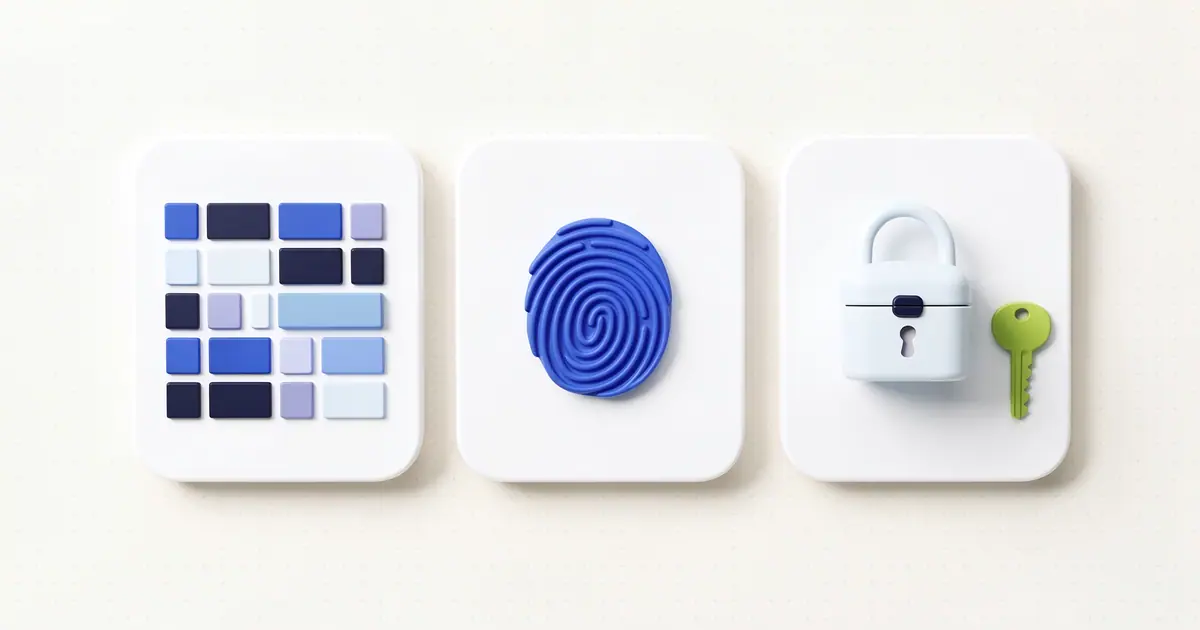
A password is a secret you share with a website. You type it, the site checks it, and anyone who learns it can sign in as you. A passkey works differently: the site never receives a secret at all. Your device proves who you are by signing a one-time challenge with a key that never leaves your control.
That one change is why passkeys stop most phishing and make password database breaches far less useful to attackers. Here's how they work, how they compare with passwords, and what they don't fix.
What a passkey is
A passkey is a sign-in credential built on the FIDO and W3C WebAuthn standards. The FIDO Alliance describes it as "an authentication credential based on FIDO standards, that can be stored on your phone or computer," and it can also live on a hardware security key.
Under the hood, a passkey is a key pair:
- A private key that stays on your device or in your passkey provider, such as your phone's built-in credential manager or a password manager. It's never sent to the website.
- A public key that the website stores with your account. It can check signatures made by the private key, but it can't be used to make them.
You unlock the passkey the same way you unlock your device: a fingerprint, a face scan, a PIN or a pattern. That check happens on your device. As the FIDO Alliance puts it, "biometric information and processing continues to stay on the device and is never sent to any remote server."
How signing in with a passkey works
Creating the passkey
- You sign in the old way and choose "Create a passkey" in the site's security settings.
- Your device generates a new key pair just for that site.
- The private key is saved in your passkey provider. The public key is sent to the site and stored with your account.
Signing in
- The site sends your browser a random challenge, a value it has never used before.
- Your browser asks your device to sign it. You confirm with your fingerprint, face or PIN.
- The device signs the challenge, together with the address of the site that asked, using the private key.
- The site checks the signature with the public key it stored. If it matches, you're in.
Nothing you could reuse travels over the network. The signature is only good for that one challenge, so recording it gets an attacker nothing.
Why passkeys stop phishing
A phishing page works by looking like the real site and collecting what you type. With a password, that's enough: the attacker replays your password on the real site.
A passkey can't be typed, and it's tied to the site that created it. The WebAuthn specification says credentials are "each scoped to a given WebAuthn Relying Party," and that a credential "can only be accessed by origins belonging to that Relying Party," enforced by the browser and the authenticator. A passkey made for example-bank.com simply isn't offered on example-bank.com.login-check.net, however convincing the page looks. The browser makes that check, not you.
That's why NIST treats this kind of sign-in as phishing-resistant. Its digital identity guideline, SP 800-63B-4, defines phishing resistance as "the ability of the authentication protocol to prevent the disclosure of authentication secrets" without relying on the user's vigilance, and names WebAuthn as an example of binding the sign-in to the verifier's identity.
It also changes what a breach exposes. When a site's password database leaks, attackers try to crack the hashes, which is why sites should store passwords with a slow hash like bcrypt (MD5 vs SHA-256 vs bcrypt explains why, and our Bcrypt Generator shows what those hashes look like). A leaked list of passkey public keys gives an attacker nothing to crack and nothing to sign in with.
Passkeys vs passwords
| Password | Passkey | |
|---|---|---|
| What the site stores | A hash of your secret | A public key |
| What you send to sign in | The secret itself | A one-time signature |
| Phishing page | Can capture it | Gets nothing usable |
| Reused across sites | Often, and risky | Never: one per site |
| Site breach | Hashes can be cracked | Public keys are useless to attackers |
| How you use it | Remember or store, then type | Fingerprint, face or PIN |
| Weak or guessable | Possible | Not possible: keys are generated |
Because a passkey that asks for your fingerprint or PIN combines something you have (the device holding the key) with something you are or know, many sites treat it as a full sign-in on its own, with no separate one-time code.
Synced passkeys and device-bound passkeys
There are two kinds, and the difference matters if you lose a device:
- Synced passkeys are backed up and shared across your devices by your passkey provider, so the passkey you made on your phone also works on your laptop. This is the common kind, and it's what most people mean by "passkey."
- Device-bound passkeys never leave one device, typically a hardware security key. The FIDO Alliance says these offer the highest assurance. They're also the easiest to lose access to, so register more than one.
The distinction shows up in official guidance. NIST's SP 800-63B-4 allows keys that can be exported, as synced passkeys must be, at its second assurance level (AAL2), but says "syncable authenticators SHALL NOT be used at AAL3," the level used for the most sensitive accounts, because they "require the private key to be exportable." For a personal email or shopping account, a synced passkey is a big step up from a password.
Signing in on someone else's computer
If the device in front of you doesn't have your passkey, most sites offer a "use a passkey from another device" option. The page shows a QR code. You scan it with your phone, confirm with your fingerprint or face, and the phone signs you in. FIDO's cross-device flow uses Bluetooth to check that the phone is actually near the computer, which stops a remote attacker from sending you a QR code and riding along. The passkey itself stays on your phone.
What passkeys don't fix
- Account recovery. If a site still lets anyone reset your account with a text message or an email link, that path is the weak spot. A passkey can't protect a door the site leaves open next to it.
- A compromised device. Malware on an unlocked phone or computer can act as you while you're signed in. Passkeys protect the sign-in, not everything after it.
- Losing every device. If you lose all the devices a synced passkey lives on, you need your provider's account recovery to get them back. FIDO suggests a hardware security key as a backup credential.
- Sites that keep your password. Adding a passkey usually doesn't remove the password from your account. Until you can delete it, the password still needs to be strong and unique.
You still need good passwords for now
Plenty of sites don't support passkeys yet, and most that do keep a password as a fallback. For those, the usual rules still apply: a unique password for every site, stored in a password manager, long enough that guessing isn't practical. How Long Should a Password Be? covers what NIST recommends, and the Password Generator creates random passwords and passphrases in your browser.
Keep any recovery codes a site gives you when you set up a passkey. Store them somewhere you can reach if your phone is lost, such as your password manager or a printed copy at home.
How to start using passkeys
- Start with your most important accounts: email (it can reset everything else), then banking and your phone's own account.
- Look for "Passkeys" or "Sign-in options" in each account's security settings and choose to create one.
- Pick where to save it. Your phone's built-in credential manager is fine; a password manager that supports passkeys lets you use them across different platforms.
- Add a second passkey on another device, or a security key, so one lost phone doesn't lock you out.
- Sign out and back in once to confirm it works before you rely on it.
FAQ
Does the website get my fingerprint or face?
No. Your device checks your fingerprint, face or PIN locally and only then uses the private key. The website receives a signature, never your biometric data.
Can someone steal my passkey?
Not by phishing or by breaching the website, since the site only has your public key. Someone would need access to your unlocked device or your passkey provider account, which is why that account deserves its own strong protection.
What happens if I lose my phone?
Synced passkeys come back when you sign in to your passkey provider on a new device. Device-bound passkeys on a lost device are gone, so you'd use another registered passkey, a security key or the site's account recovery.
Is a passkey the same as two-factor authentication?
Not exactly, but it covers the same ground. A passkey that requires your fingerprint or PIN combines possession of the device with something you are or know, and it resists phishing, which text-message codes don't.
Can I use one passkey for several websites?
No. Every passkey belongs to one site. That's a feature: it means a problem at one site can't spread to your other accounts.